EazLink guide
What is fiscal compliance middleware?
A plain guide for companies that need sales, receipts, status, and tax proof to move through one dependable path.
Short answer
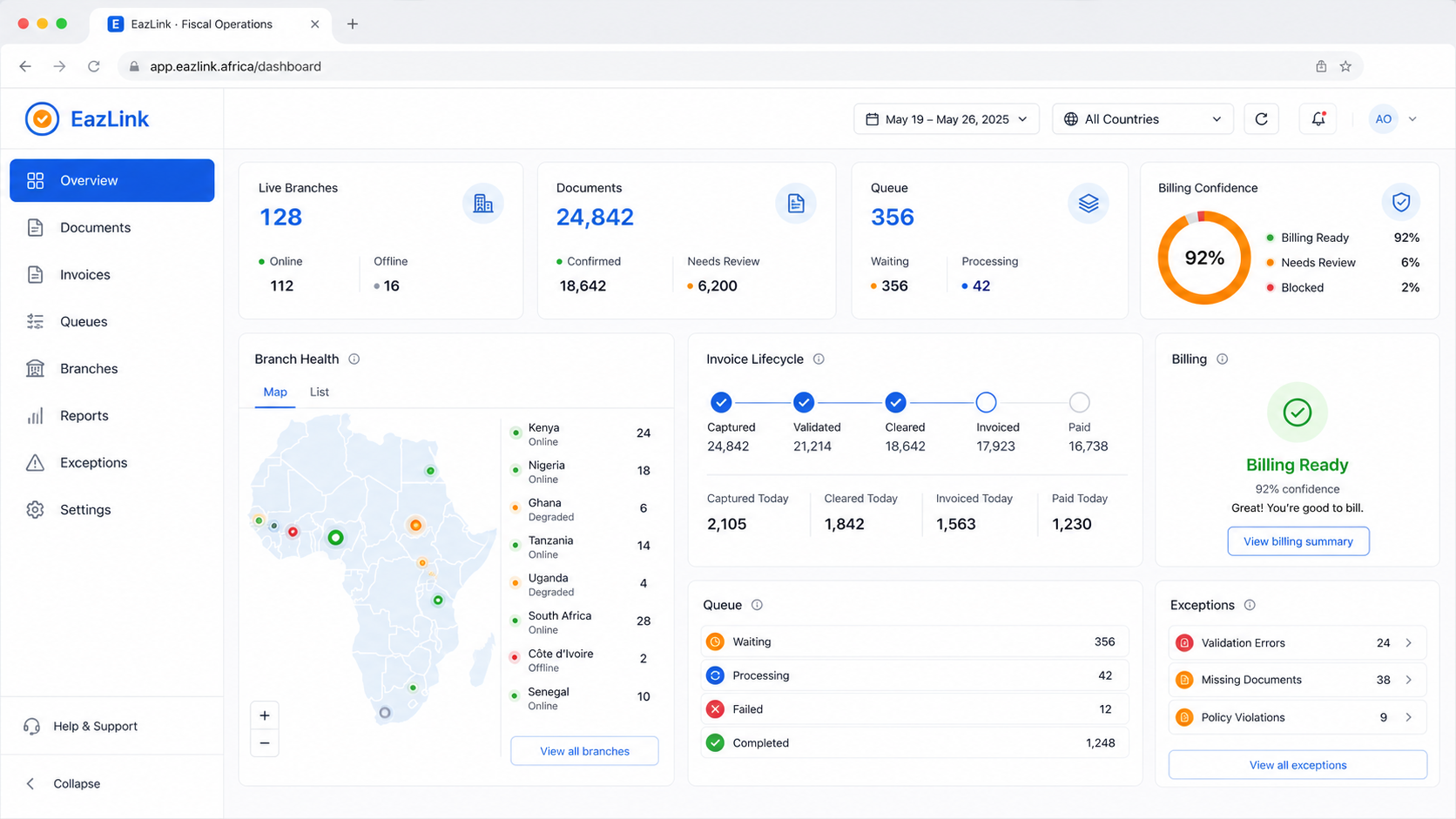
Fiscal compliance middleware sits between the systems that create sales and the fiscal workflows that approve, verify, or record them. The job is simple to describe: take the sale from ERP, POS, ecommerce, or branch tools, send it through the right country path, bring back proof, and keep the status visible when something waits, fails, or needs another try.
What to remember
- Middleware starts to matter when fiscal work reaches checkout, branch operations, partner support, and month end finance.
- ERP and POS teams should not have to rebuild tax authority behavior every time a new market goes live.
- The useful product is the one that shows what happened to each sale, not the one that only says an API call failed.
- EazLink is a fit when one company, dealer, or implementation partner needs a repeatable fiscal path across several systems or markets.
Why the problem appears
Most businesses already know how to sell. The cashier uses a POS. A distributor raises invoices in an ERP. The ecommerce site takes orders. A branch may keep a small local tool because the network is not always reliable. These systems were chosen for sales, stock, payment, and finance work.
Then fiscal rules add a second job. The same sale may need a tax authority number, a receipt code, a QR value, a device identity, a certificate, a confirmed status, or a rejection reason. If every sales system learns those details by itself, the business slowly turns checkout software into tax infrastructure.
- The POS needs a clear answer on whether the receipt can be issued.
- Finance needs accepted, rejected, queued, and corrected documents to be visible.
- Support needs enough context to fix data, certificate, branch, or authority issues.
- Dealers and ERP/POS partners need a delivery pattern they can repeat.
Where the fiscal layer sits
The clean place for this work is between the sales system and the country fiscal process. ERP, POS, ecommerce, and branch tools send the sale into one layer. That layer handles preparation, submission, receipt proof, status, retries, and document history.
This does not make every country the same. Zambia, Kenya, Uganda, Zimbabwe, and other markets can still have different rules and response behavior. The point is that staff see one operating view instead of a pile of country specific workarounds.
What buyers should ask
Do not judge the product only by a successful demo invoice. Ask what happens when the network drops after the sale is captured. Ask what the cashier sees when the authority is slow. Ask whether finance can export proof later. Ask whether a partner can tell if the issue is bad data, a certificate, branch connectivity, or an authority response.
If the answer is a raw error code and a support ticket, you may be looking at a connector. A fiscal operating layer should give the next person enough information to act.
- Can business users see document status without opening developer logs?
- Can the product retry without creating duplicate receipt proof?
- Can one partner support more than one ERP, POS, and country path?
- Can branch issues be separated from finance and head office issues?
When to talk to EazLink
EazLink is worth a conversation when fiscal work is no longer a single small connector. That usually means several branches, several sales systems, more than one African market, or a partner team that has to support customers after go-live.
The goal is to keep the ERP, POS, and ecommerce tools focused on business work. EazLink carries the fiscal path, status, proof, retries, and support view around them.
A buying checklist before you choose
- List every place a sale starts: ERP, POS, ecommerce, mobile sales, branch tools, file import, or custom app.
- Write down the countries where fiscal proof is required now and where it may be required next.
- Decide who needs status visibility: cashier, finance, branch manager, dealer support, headquarters, or tax advisor.
- Test accepted, rejected, queued, retried, and offline cases before the pilot is called successful.
- Ask the vendor to show how proof is exported for finance and how a support user finds the next action.
Quick questions
Is fiscal compliance middleware the same as an accounting system?
No. An accounting system records and manages business accounts. Fiscal compliance middleware connects sales events to tax authority workflows and brings back status, receipts, and proof.
Does a business need to replace its POS or ERP?
Usually no. The point is to keep existing systems and add a fiscal layer between those systems and the tax authority path.
When does EazLink make the most sense?
EazLink makes sense when fiscal work touches several systems, countries, branches, or partner teams. A single small branch may survive with a manual process. A growing business usually needs a clearer layer before exceptions become daily support work.
What is a good first conversation with EazLink?
Bring the countries, the sales systems, the branch model, and a few real receipt or invoice examples. That is usually enough to see whether a middleware layer is the right path.
Sources: Deloitte · EY · Microsoft Learn. Used for factual background only.